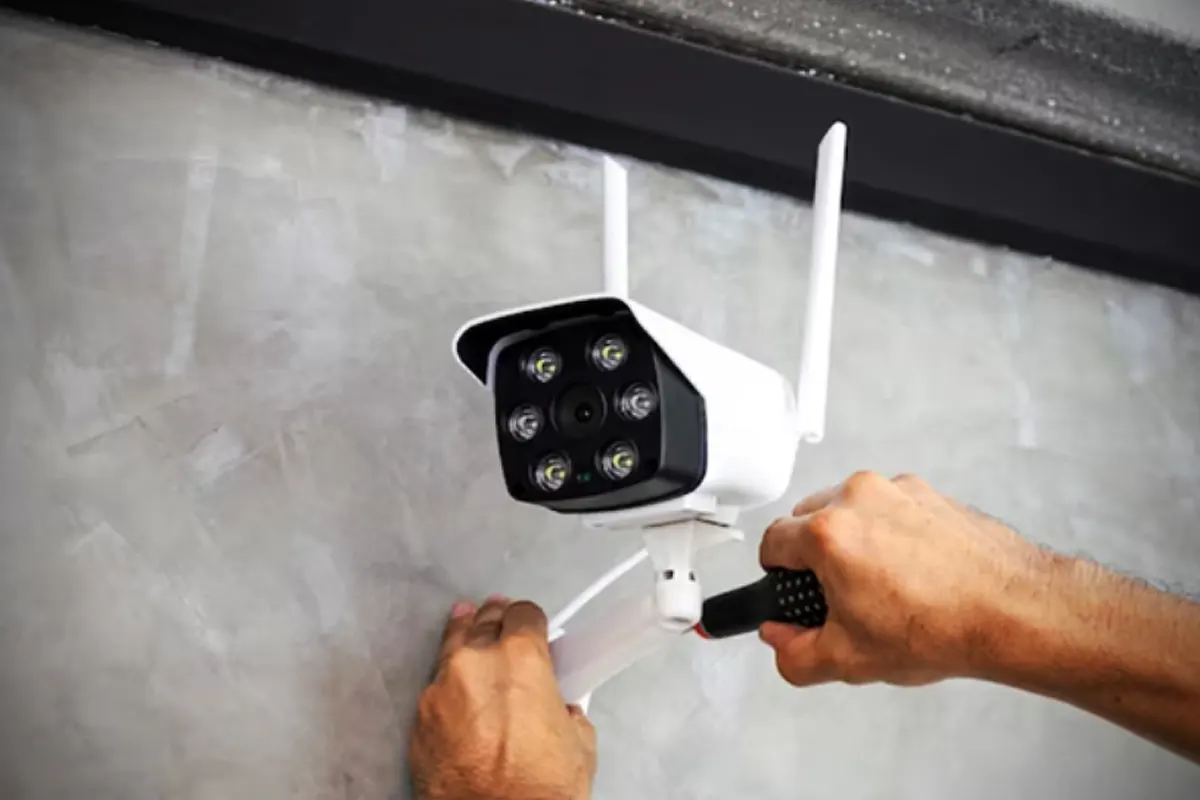
How to Install Home Surveillance Cameras – So, you’ve decided to step up your home security game, and honestly, that’s a fantastic idea. But where do you even begin? Installing home surveillance cameras might sound tricky, but guess what? It’s easier than making toast—well, almost. Let’s walk through every step together, ensuring you’re all set to become your very own security guru.
Step 1: Start by Picking the Perfect Cameras
First things first, you’ll need to choose cameras that fit your needs like a glove. Because let’s face it, not all cameras are created equal, right? Here are some types to consider:
- Wired Cameras: These are rock-solid for reliability, although they might require a little extra elbow grease during installation.
- Wireless Cameras: The name says it all—convenience is king here, and you’ll love how easy they are to set up.
- Indoor vs. Outdoor Cameras: You’ve got to match your camera to its environment. Outdoor ones should laugh in the face of rain and shine.
Quick Tip: Always aim for models that boast night vision and motion detection, because those features are absolute lifesavers.
Step 2: Figure Out the Best Spots for Installation
Now, it’s time to channel your inner strategist. Placement is everything, and if you’re thinking, “Where should I even start?”—don’t worry, we’ve got you covered. Ask yourself these questions:
- Which areas scream, “Monitor me now!”
- Are there any corners where shady activities could go unnoticed?
- Can the camera keep a watchful eye on entrances and exits?
Some tried-and-true locations include:
- Your front and back doors—because duh.
- Driveways—no one sneaks by on your watch.
- Common areas inside the house—keep tabs on what matters most.
- Windows that’re all too easy to access—just in case.
Step 3: Gather Everything You Need
Before you channel your DIY energy, let’s double-check the tools. Imagine getting halfway through and realizing you forgot something—total buzzkill, right? Here’s the ultimate checklist:
- A drill, because manual labor builds character.
- Screws and mounting brackets, usually bundled with the cameras.
- A trusty power source or batteries—the cameras aren’t magic.
- A ladder, because floating isn’t an option yet.
Pro Insight: Always, and I mean always, skim through the manual first. Skipping this is a rookie mistake.
Step 4: Get Those Cameras Up and Running
Here comes the exciting part: mounting your cameras! Trust me, it’s easier than assembling IKEA furniture. Follow these steps, and you’ll be golden:
- Pick your spot and mark it—accuracy is everything.
- Use the drill to make neat little holes for the screws.
- Secure the mounting bracket like it’s holding a treasure.
- Pop the camera onto the bracket and adjust the angle for the perfect view.
Sneaky Hack: Position the camera high enough to stay out of reach but not so high that it’s filming the clouds.
Step 5: Power Up and Connect
Now it’s time to bring your cameras to life. This step is where the magic happens, and trust me, it’s worth the effort. Here’s how:
- Plug in your cameras or load them up with fresh batteries.
- Connect them to your Wi-Fi—make sure the signal is strong.
- Follow the app setup instructions like a pro gamer following cheat codes.
If you’ve got wired cameras, hide those cables like you’re on a secret mission.
Step 6: Give Everything a Test Drive
Imagine setting everything up perfectly only to find out nothing works—nope, not happening here! Testing is crucial, so let’s do it right:
- Check if the video feed is as clear as your Netflix HD stream.
- Walk around to make sure motion sensors don’t miss a beat.
- Look for blind spots like you’re solving a mystery.
Pro Suggestion: Schedule regular tests to keep your system sharp and ready for action.
Avoid These Rookie Mistakes
Even seasoned DIYers slip up sometimes, but not you, because here’s a cheat sheet of pitfalls to dodge:
- Don’t position cameras too high, unless blurry footage is your thing.
- Avoid pointing cameras at light sources—glare isn’t cute.
- Protect your Wi-Fi like it’s Fort Knox; weak passwords are invitations for trouble.
FAQs You Didn’t Know You Had
Q: Is DIY camera installation really a good idea? A: Absolutely! Unless you’re allergic to tools, you’ve got this.
Q: How many cameras should I buy? A: That depends on your house size, but four to six is usually the sweet spot.
Q: Are wireless cameras any good? A: They’re amazing! Just make sure your Wi-Fi isn’t stuck in the Stone Age.
Features That Make Cameras a Must-Have
If you’re still undecided, let these features sway you:
- Crystal Clear Resolution: You want to see details, not pixels.
- Night Vision: Because bad guys don’t follow a 9-to-5 schedule.
- Two-Way Audio: Talk to delivery people or spook intruders—your call.
- Cloud Storage: Keep your footage safe from tech gremlins.
Maintenance Tips for the Long Haul
To keep your cameras as reliable as your morning coffee:
- Clean the lenses regularly—dust is not your friend.
- Update firmware whenever prompted—think of it as a system vitamin.
- Double-check mounts and wires every few months—better safe than sorry.
Fun Facts to Impress Your Friends
- Did you know the first surveillance camera was invented in 1942 to monitor rocket launches?
- Modern cameras can recognize faces better than you can—just saying.
- Some even sync with smart home systems, making you feel like Tony Stark.
How to Install Home Surveillance Cameras
And there you have it! With these steps, your home surveillance game will be on point, and you’ll feel like a tech wizard in no time. Go ahead, secure your space, and enjoy the peace of mind—you’ve earned it.